ALETHAXIS
TOS
coming soon
PROJECT
coming soon
VIEWING
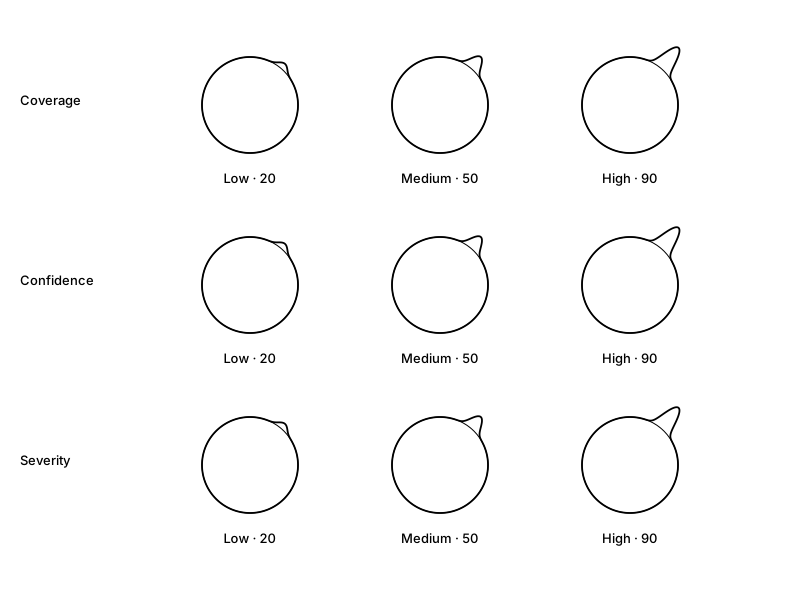
Alethaxis places reports about world events around a geographic circle. It shows three independent layers: how much reporting there is, how strongly the evidence supports the event description, and how severe the reported event may be. A large spike in one layer does not establish a large score in another.
Volume of distinct collected reports grouped into a candidate. More reports create greater displacement. Charcoal stays subdued in both system themes. Coverage is not proof of truth.
Evidence supporting the event description. Greater support creates greater displacement. Current scores use provisional rules; they are not calibrated probabilities.
Estimated impact of the reported event. Initial earthquake reports use magnitude and depth; other topics use a provisional rule. M2 = 0 and a shallow M9.5 = 100 are display reference points. Shallow earthquakes (up to 70 km) keep that magnitude index; the depth weight decreases to 0.6 at 300 km and 0.3 at 700 km. These weights are an uncalibrated display heuristic, not a percentage of energy or damage. Missing depth uses magnitude alone. Red is shown at half opacity and blue has visual emphasis; colors do not alter the scores. It is not a verified damage or casualty assessment.
The clock now displays blue severity deviations at 50% of the original distance from the baseline, in both hemispheres and rotated views. Measurements and severity scores are unchanged. The illustrations below show the original reference scales for comparing the three layers.
Geography and width
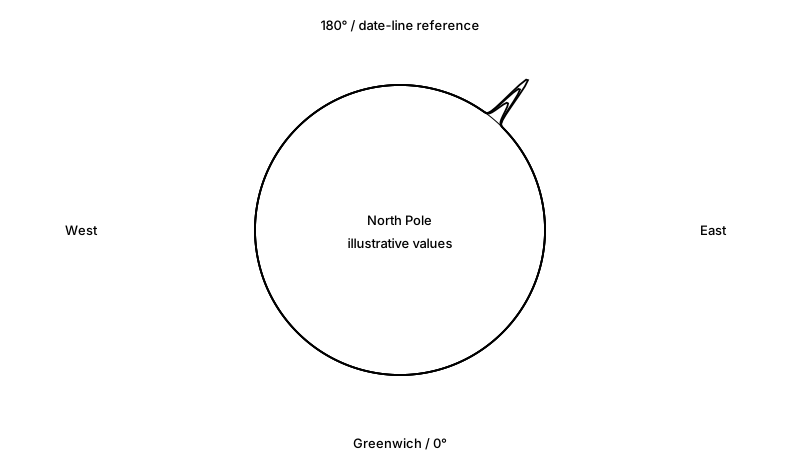
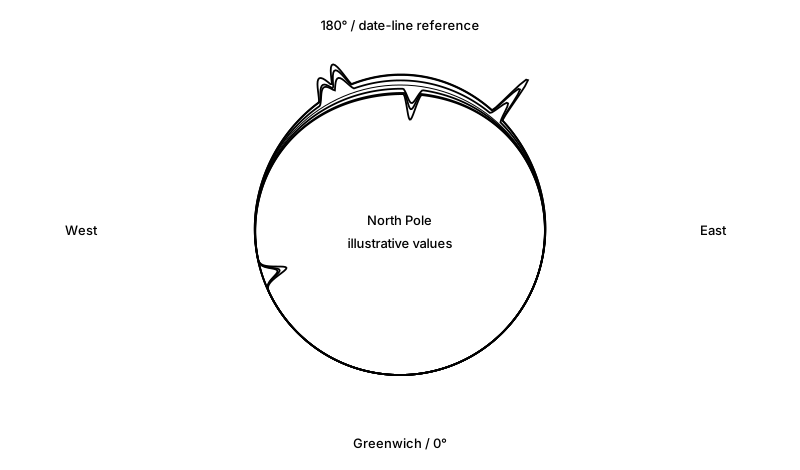
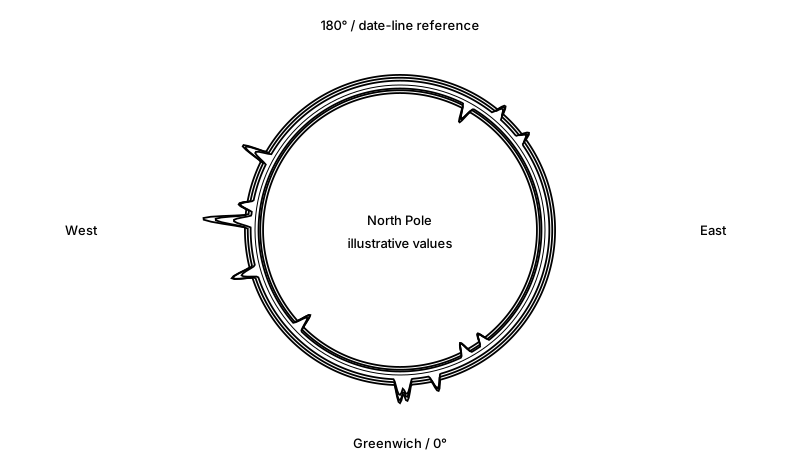
The North Pole is at the center. The 180° meridian, our date-line reference, is at 12 o’clock; Greenwich is at 6 o’clock, western longitudes are on the left, and eastern longitudes are on the right. Longitude determines where a deviation appears.
Events north of the equator, including events on the equator, deviate outward. Events south of the equator deviate inward. Width around the circle describes geographic reach: a local incident is narrow; a regional or worldwide impact is broader. Increasing width does not increase peak height. An event spanning both hemispheres may have outward and inward traces.
Live location matches currently describe places mentioned in reports, not verified impact boundaries. Unknown locations are excluded. Automatic broad impact footprints remain unfinished; the broad examples below are illustrative.
Desktop and home-screen clock
Keep Alethaxis in its own compact window or launch it from your phone’s home screen. Set up the Alethaxis clock. Native desktop and lock-screen widgets are planned separately.
Rotating globe views
Free access has the fixed northern view with both outward northern/equatorial and inward southern deviations. Observer, Analyst, and Sentinel accounts—including complimentary assignments—can drag the globe, select a western or eastern view with north up, and save preferences in their portal.
In a rotated view, outward means the hemisphere facing you; inward means the reverse hemisphere. Turn off “Show the back side” to show only front-side events. This changes your rendering, not the collected reports or other visitors’ clocks. An event exactly at the view center appears as a center marker because it has no unique direction around the ring. Sun and moon navigation remain available.
Reading the live clock
Social reports contribute only when the owner selects Social ON. Social OFF is the default. The reporting window is 24 hours; layers fade as reports age. Deduplicated URLs are counted once, but different publisher websites are not necessarily independent reporting. Feed outages do not substitute sample events. The owner can choose a separate Demo mode.
The sun opens login over the clock. The moon opens this guide. “This?” is reserved for a future explanation.
ACCOUNTS
Public signup is coming soon. People invited by the owner can accept a private invitation and choose their own password now. Invitations are single-use and expire after 24 hours.
| Level | Possible access |
|---|---|
| Free | The public clock. A personal account page once invited. |
| Observer | Enabled: globe rotation, saved orientation, and back-side visibility. Planned: basic selections and a personal view. |
| Analyst | Enabled: globe rotation and saved viewing preferences. Planned: date ranges, locations, event filters, and historical views. |
| Sentinel | Enabled: globe rotation and saved viewing preferences. Planned: advanced filters and email alerts for chosen thresholds and regions. |
Subscriber filters, historical browsing, billing, renewal, and email alerts are proposed and not enabled yet. Assigned levels are recorded on the account. Complimentary access has no scheduled expiration; manually recorded paid access expires on its assigned date.
New account — coming soon
Preview only. Nothing entered here is submitted or saved.
Open the TOS page and acknowledge that you reached its end before checking this box. Agreement is a draft preview only.
After login, your account page is at My account. You can edit your own profile, change your password, log out everywhere, or voluntarily disable your account. Disabling retains records and requires the owner to restore access.